
Medication Schedule Planner
Create Your Medication Schedule
Your Medication Schedule
Add medications to see your schedule here
Drug Interaction Check
Add medications to check for interactions
Imagine your mom takes eight different pills a day - some with food, some without, some in the morning, some at bedtime. Now imagine your sister in Chicago, your brother in Texas, and your aunt who helps out on weekends all trying to keep track of when she takes what. One missed dose can land her in the hospital. A shared medication calendar isn’t just helpful - it’s a safety net.
Why a Shared Calendar Matters
Medication non-adherence kills 125,000 Americans every year and costs the system over $100 billion. Most of those cases aren’t due to forgetfulness alone - they’re caused by confusion, miscommunication, or one person bearing the full burden of tracking everything. When you build a shared medication calendar, you’re not just setting reminders. You’re creating a system where responsibility is split, errors are caught early, and no one is left guessing.Studies show that 78% of medication errors in older adults can be prevented with proper scheduling and tracking. But only 22% of families using digital calendars actually use features designed for medication management. That’s the gap. Most people use Google Calendar or Apple Calendar like a regular to-do list. They add ‘Mom’s blood pressure pill’ and call it done. But without drug interaction alerts, dose timing rules, or care team access, it’s not enough.
What a Real Medication Calendar Should Do
A basic calendar app can remind you when to take a pill. A real medication calendar does more:- Shows exact timing - not just ‘morning’ but ‘take with breakfast, 30 minutes before eating’
- Flags dangerous drug interactions - like mixing blood thinners with NSAIDs
- Allows multiple caregivers to see updates in real time
- Tracks whether a dose was taken, not just scheduled
- Integrates with pharmacies to auto-import prescriptions
- Includes task assignments - ‘John, pick up refill Friday’
These aren’t nice-to-haves. They’re what separate a working system from a risky one.
Choosing the Right Tool
There are three main types of tools out there - and each has trade-offs.General Calendar Apps: Google, Apple, Outlook
These are free and familiar. If your family already uses them, it’s easy to start. But here’s the catch:- Google Calendar works on any device, lets you share with anyone by email, and supports multiple calendars. But you have to manually type every drug name, dosage, and instruction. No interaction warnings. No way to mark if a dose was taken. It’s like using a hammer to build a watch.
- Apple Calendar syncs perfectly across iPhones and iPads. Siri can remind you to ‘check Mom’s meds.’ But if your brother uses Android? He’s locked out. And it doesn’t connect to pharmacies or health records.
- Outlook Calendar is great if your family works in corporate environments. But it’s clunky for non-tech users. A 2022 AARP survey found 62% of caregivers over 50 struggled with its interface.
Specialized Health Apps: Medisafe, Caily, CareZone
These are built for medication management - and they show it.- Medisafe has a database of over 650,000 drug interactions. It alerts you if someone’s new prescription clashes with their current ones. It tracks adherence with 98.7% accuracy and sends alerts to up to five caregivers at once. The downside? Multi-user access costs $9.99/month. Some users complain they can’t view full history without paying.
- Caily stands out because it mixes medication tracking with household tasks. You can assign ‘Buy milk’ or ‘Drive to appointment’ alongside ‘Take insulin.’ It works across iOS and Android, and lets up to 15 people join the care circle. Free version is solid. Premium at $9.99/month adds pharmacy sync and custom reminders in 15-minute increments.
- CareZone auto-imports prescriptions from pharmacies - saving hours of manual entry. It also stores emergency contact cards and medical history. But its interface scored just 3.2/5 in senior usability tests. Some older users say it’s too busy. The free plan is generous, and premium is only $5.99/month.
Bottom line: If your loved one has a complex regimen, use a health-specific app. If it’s just one or two pills and everyone uses iPhones? Apple Calendar might work. But don’t skip the interaction checks.

How to Set It Up Right
Don’t just download an app and hope for the best. Here’s how to set it up so it actually works:- Hold a family meeting - within 48 hours of starting. Everyone who helps - even if it’s just picking up refills - needs to be there. Assign roles. Who checks the calendar daily? Who calls the pharmacy?
- Designate a ‘calendar captain’ - one person responsible for updates. Studies show this cuts coordination failures by 63%. It doesn’t have to be the primary caregiver. It could be the tech-savvy grandkid.
- Create a separate calendar - don’t mix meds with birthdays and dentist visits. Name it ‘Mom’s Medications’ or ‘Dad’s Care Schedule.’ This keeps things clean and reduces privacy concerns.
- Set reminders 15 minutes before dosing - not at the exact time. People need time to get water, sit down, or find the pillbox. Missing a dose because you were in the shower? That’s avoidable.
- Enable notifications for everyone - not just the captain. If a dose is skipped, everyone should know. Most apps let you choose who gets alerts.
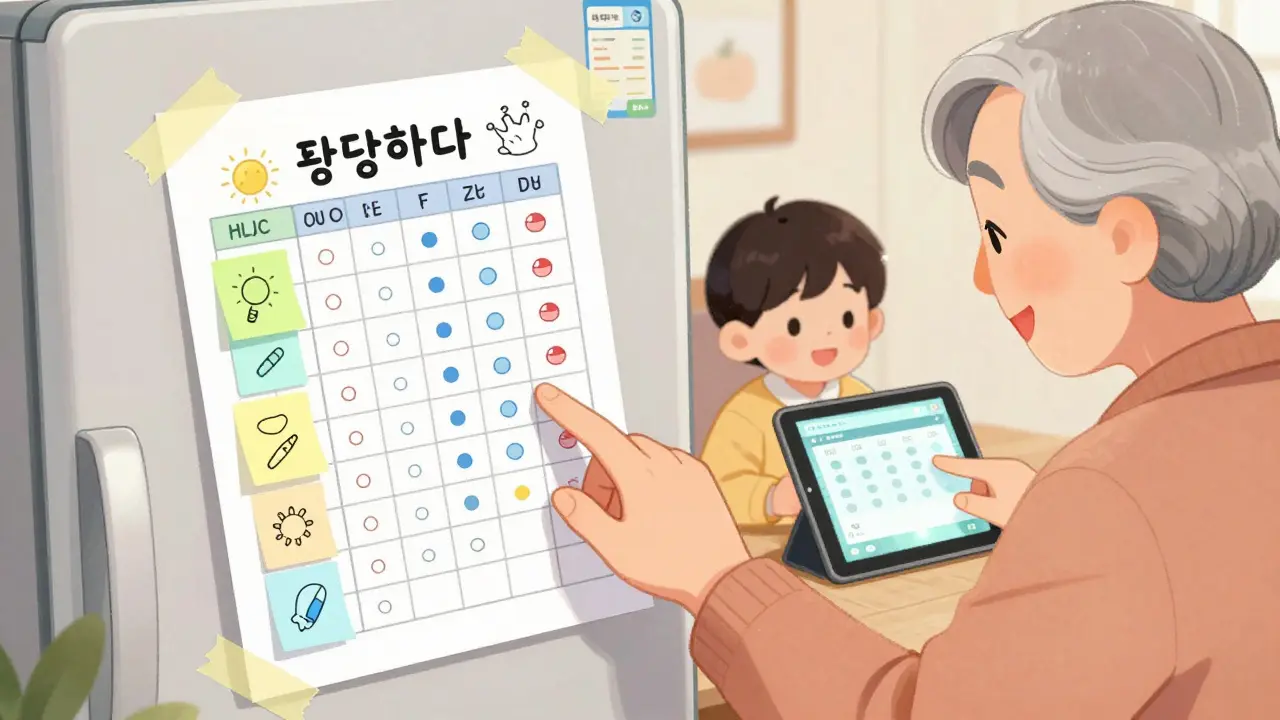
And always keep a printed backup. Tech fails. Batteries die. Older adults often prefer paper. Print the schedule, laminate it, and put it on the fridge.
Privacy and Trust Are Non-Negotiable
Sixty-eight percent of older adults worry about family members seeing their full health data. That’s not paranoia - it’s valid.- Only share what’s necessary. You don’t need everyone to see every diagnosis - just the meds and times.
- Use apps with HIPAA compliance if you’re storing personal health info. Google Calendar and Apple Calendar aren’t HIPAA-compliant. Medisafe and CareZone are.
- Let your loved one control access. If they’re comfortable, give full access. If not, limit it to ‘meds only’ and disable notes or comments.
Dr. Laura Gitlin says it best: ‘A shared calendar isn’t about control - it’s about care.’ If it feels invasive, you’re doing it wrong.
What Can Go Wrong - And How to Fix It
Even the best systems fail if they’re not maintained.- Notifications get silenced - 41% of users turn off alerts because they’re too frequent. Fix: Use different tones for meds vs. tasks. Test them together.
- Time zones mess things up - if your sister lives in California and you’re in New York, reminders can be off by hours. Fix: Set the calendar to the patient’s local time, not yours.
- Medications change - a doctor adds or drops a pill, and no one updates the calendar. Fix: Make the calendar captain the only one who can edit. Everyone else gets notifications.
- People ignore alerts - 23% of errors happen even when reminders are sent. Fix: Pair digital alerts with physical cues. A sticky note on the bathroom mirror. A chime on the kitchen clock.
What’s Coming Next
The tech is getting smarter. In 2023, Medisafe started using AI to predict missed doses based on past behavior. Apple’s iOS 17 can now auto-create medication schedules from prescription data. CareZone is testing voice logging - just say, ‘I took my pill,’ and it’s recorded.By 2027, 95% of healthcare systems will offer integrated medication calendars. But right now, you don’t need to wait. You can start today - with what you have.
Final Tip: Start Small, Then Scale
Don’t try to digitize your entire family’s medication list at once. Pick one person - maybe your parent or a relative with the most complex regimen. Set up their calendar. Test it for two weeks. Get feedback. Then add another person.It’s not about having the fanciest app. It’s about having a system that actually gets used. And when it works? You’ll know. The calls stop. The ER visits drop. And for the first time in a long time, everyone feels a little less alone.
Can I use Google Calendar for a shared medication schedule?
Yes, but with major limitations. Google Calendar lets you share and set reminders, but it doesn’t warn about drug interactions, doesn’t track whether doses were taken, and requires you to manually enter every detail. It’s better than nothing, but not safe for complex regimens. Use it only if everyone has simple, stable meds and you’re willing to double-check everything.
Is it safe to share medication info with family online?
It’s safe if you use a HIPAA-compliant app like Medisafe or CareZone. These encrypt data and let you control who sees what. Avoid using regular Google or Apple calendars for detailed health info - they’re not designed for medical privacy. Always ask the person receiving care what they’re comfortable sharing.
What if my family doesn’t use smartphones?
Print out a weekly schedule and post it where everyone can see it - fridge, bathroom mirror, bedside table. Use color coding: red for morning meds, blue for night. Call a weekly check-in to update it. Technology helps, but human connection keeps people safe.
How do I get pharmacy prescriptions into the calendar?
Only CareZone and Caily’s premium plans auto-import prescriptions from pharmacies. For others, you’ll need to manually enter each medication. Ask the pharmacist for a printed list - most will give you one free. Then type it in. It takes 20 minutes, but it’s worth it.
Do I need to pay for a medication calendar app?
No, but you’ll miss key safety features. Free versions of Medisafe, Caily, and CareZone let you track meds and share with a few people. But paid plans unlock drug interaction alerts, pharmacy sync, and full care team access. If someone takes five or more meds, the $5-$10/month is one of the best investments you’ll make.
Next Steps
Start today. Pick one person. Open Google Calendar or download Caily. Create a new calendar called ‘[Name]’s Meds.’ Add three medications. Set one reminder. Share it with one other person. That’s it. You don’t need to do everything at once. Just begin. The next time someone asks, ‘Did Mom take her pill?’ - you’ll be able to answer with confidence, not panic.
Ian Glover
My name is Maxwell Harrington and I am an expert in pharmaceuticals. I have dedicated my life to researching and understanding medications and their impact on various diseases. I am passionate about sharing my knowledge with others, which is why I enjoy writing about medications, diseases, and supplements to help educate and inform the public. My work has been published in various medical journals and blogs, and I'm always looking for new opportunities to share my expertise. In addition to writing, I also enjoy speaking at conferences and events to help further the understanding of pharmaceuticals in the medical field.
9 Comments
-
Hussien SLeiman
December 21, 2025 AT 01:43Look, I appreciate the sentiment, but let’s be real - most families don’t have the bandwidth for this. You’re asking people to become amateur pharmacists, calendar admins, and compliance officers all at once. And don’t even get me started on the ‘calendar captain’ fantasy - someone’s always going to be the one who forgets to update it, then blames the app. Meanwhile, the real problem is systemic: we’ve outsourced caregiving to unpaid, overworked, under-supported humans, then act shocked when they burn out. A calendar won’t fix that. A living wage for home health aides might.
-
Anna Sedervay
December 22, 2025 AT 11:58While the intent behind this piece is laudable, the underlying assumption that digital tools can adequately replace human vigilance is not only naive but potentially hazardous. The HIPAA-compliance disclaimer is a red herring - Google Calendar may not be HIPAA-compliant, but neither is the average user’s understanding of PHI. Moreover, the notion that a 98.7% adherence rate in Medisafe is somehow ‘safe’ ignores the 1.3% margin of error - which, in pharmacology, is a lethal gap. One missed interaction, one mislabeled dosage, and you’ve just turned a digital tool into a death warrant. This is not a productivity hack. It’s a liability minefield dressed in UX.
-
Matt Davies
December 22, 2025 AT 16:01Man, I wish I’d read this three years ago. My mum’s on eight meds, and we were using sticky notes on the fridge - one of which said ‘take with food’ and had a doodle of a banana next to it. We switched to CareZone, printed the schedule, and now I get a little ping every time she logs a dose. It’s not perfect - she still forgets to tap ‘taken’ - but it’s the first time we’ve all felt like we’re in the same boat. And yeah, I paid the $6 a month. Worth every penny. If you’re hesitating because of cost, just think: one ER trip costs more than a year of the app.
-
Mike Rengifo
December 24, 2025 AT 14:12Real talk: I tried this with my grandma. We used Google Calendar. She didn’t even know how to check it. So we just started leaving little notes in her pillbox - ‘blood pressure = after toast’. She started recognizing the shapes. We added a chime on the kitchen timer. She didn’t need an app. She needed us to show up. The tech helps, but it’s not the hero. The person who shows up at 7 a.m. with coffee and a pill organizer? That’s the real magic.
-
Meenakshi Jaiswal
December 26, 2025 AT 09:54As a nurse who’s worked in geriatric care for 18 years, I’ve seen families struggle with this daily. The key isn’t the app - it’s consistency. Pick one tool, stick with it, and make it part of the routine. I always tell families: don’t aim for perfection. Aim for ‘good enough and repeated’. Even a simple shared Google Sheet with colored rows for morning/night meds works if everyone checks it every Sunday. And always, always keep a printed copy. Tech fails. People don’t.
-
bhushan telavane
December 27, 2025 AT 03:46Back home in India, we don’t have apps for this. We have aunts, uncles, and neighbors who show up with tea and check the pillbox. The calendar is the kitchen wall - written in marker, updated every week during chai time. Maybe the tech helps in the West, but here, care is still a community sport. Don’t forget that. Sometimes the best app is a person who remembers your mom’s favorite tea.
-
Mahammad Muradov
December 27, 2025 AT 06:44Let me be blunt: anyone who uses a general calendar for medication management is either dangerously naive or criminally irresponsible. You think typing ‘Mom’s pill’ into Google Calendar is enough? That’s not a calendar - it’s a death sentence waiting for a rainy day. You need drug interaction databases, adherence tracking, and real-time alerts - or you’re playing Russian roulette with someone’s life. If you can’t afford Medisafe, don’t pretend you’re doing your duty. Just don’t pretend.
-
mark shortus
December 28, 2025 AT 03:56THIS IS THE MOST IMPORTANT THING I’VE READ THIS YEAR. I almost lost my mom last winter because we used Apple Calendar and my cousin in Arizona didn’t know about the time zone glitch - she got the alert at 3 a.m. her time, thought it was a glitch, and ignored it. Mom had a seizure. ICU. $47,000 bill. Now we use CareZone, everyone gets a custom tone, and we have a weekly Zoom check-in. I’m not joking - this saved her life. If you’re not doing this, you’re not just lazy - you’re putting your loved one in mortal danger. I’m not mad. I’m just… heartbroken for you.


Write a comment
More Articles

Unleash the Potential of Rose Hip Supplements for a Healthier You
I recently discovered the incredible potential of rose hip supplements for boosting our overall health. These natural supplements are packed with essential nutrients like vitamin C, antioxidants, and anti-inflammatory properties. By incorporating rose hip supplements into our daily routine, we can strengthen our immune system, improve skin health, and reduce inflammation in our bodies. I'm genuinely excited to share my findings with you all, and I encourage you to explore the benefits of rose hip supplements for a healthier you. Let's embrace this natural remedy and unlock our true potential!

Aripiprazole and Hair Loss: Is it an Effective Treatment?
Alright folks, buckle up as we dive into the intriguing world of Aripiprazole and hair loss! This wonder drug, typically used as an antipsychotic medication, has also been spinning heads in the hair loss community. Now, don't get too excited, it's not a magical hair-growth potion, but some studies suggest a potential link between Aripiprazole and decreased hair loss. Yes, you heard it right! However, it's important to remember that we're still in the early stages of understanding this connection, and we should approach this with optimistic caution—like a balding man approaching a comb.

Nancy Kou
December 21, 2025 AT 00:42This is exactly the kind of practical, life-saving advice that gets buried under fluff online. I set up a shared calendar for my dad after his stroke, and the difference was night and day. No more frantic calls at 2 a.m. wondering if he took his blood thinner. We used Caily, assigned roles, and printed a backup. It’s not glamorous, but it’s the quiet hero work that keeps people out of the ER.